Every game day, our group chat fills up with predictions. Who scores first. Over or under 5.5 goals. That kind of thing. Each question goes up as a WhatsApp poll, everyone votes, and after the game our admin goes through the polls and updates a spreadsheet by hand to keep the season standings.
It works, mostly. The spreadsheet is only as up to date as the admin’s patience, and WhatsApp polls have one big flaw: you can change your vote whenever you like. Some people have been known to cheekily switch their pick once the game is already under way. So I built PuckDrop: a game day prediction app for EIHL friend groups. The admin posts the questions, everyone locks in their picks before puck drop, the admin marks the right answers after the game, and the leaderboard updates itself.
It was also an excuse to try something new. I’ve used Aspire for local development for a while, and I reach for it on every new project, no matter the tech stack. But I’d only ever used it to run things. PuckDrop is the first thing I’ve deployed with it, to AWS, and that turned out to be the most interesting part of the project.
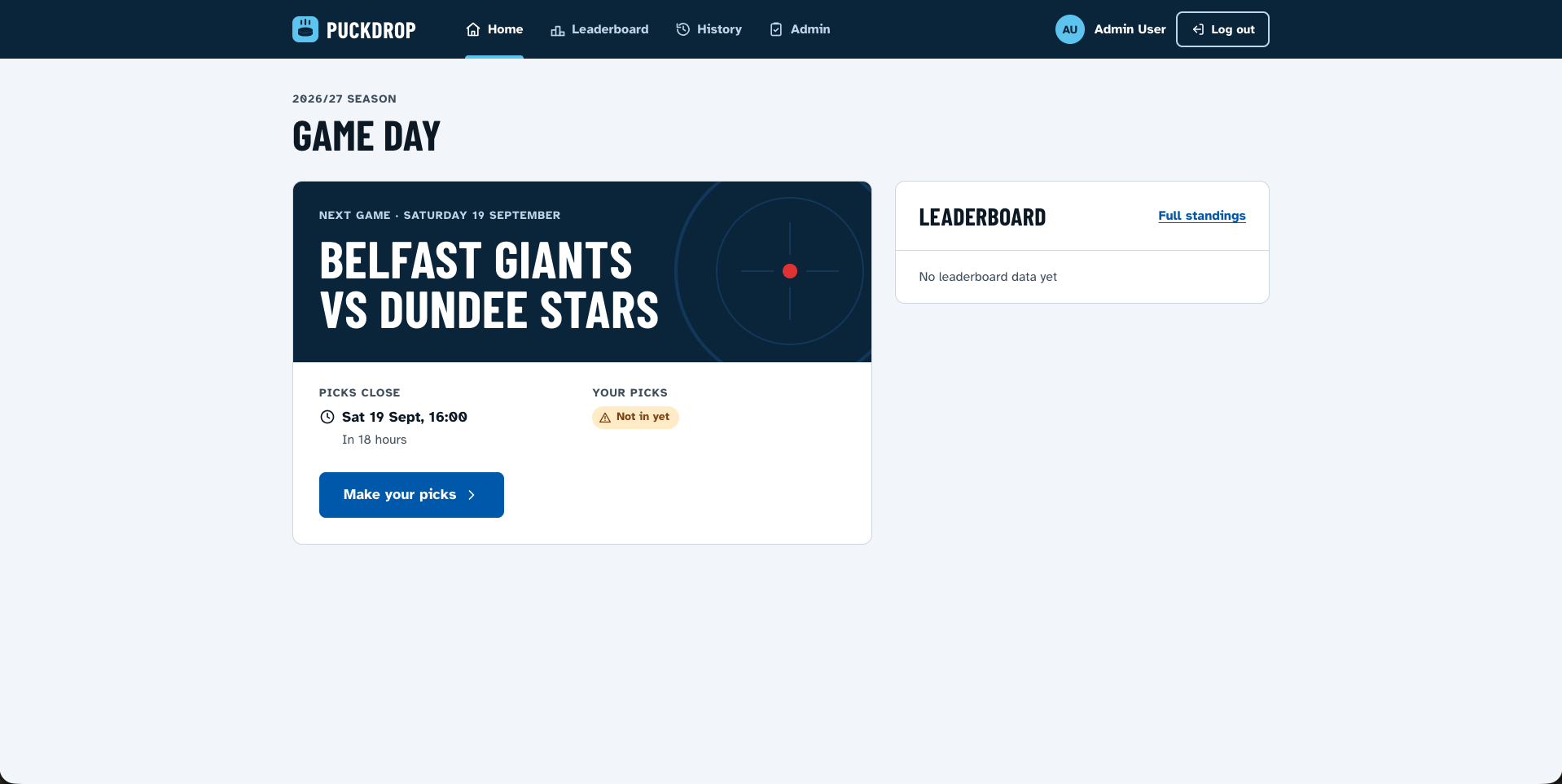
What’s under the hood
The frontend is Blazor WebAssembly. The API is ASP.NET Core running on AWS Lambda, with everything stored in a single DynamoDB table. Sign-in uses Cognito in production and Keycloak locally. The UI is served from S3 through CloudFront, and the API sits behind API Gateway. It’s all serverless and pay-per-request, which matters when your entire user base is one group chat. The AWS bill is close to nothing.
The API follows a fairly standard Clean Architecture layout: Domain, Application, Infrastructure and API projects. The poll rules live in the domain. A poll goes Draft → Open → Closed → Scored, and once the deadline passes your picks are locked. That rule exists for a couple of specific people, and they know who they are.
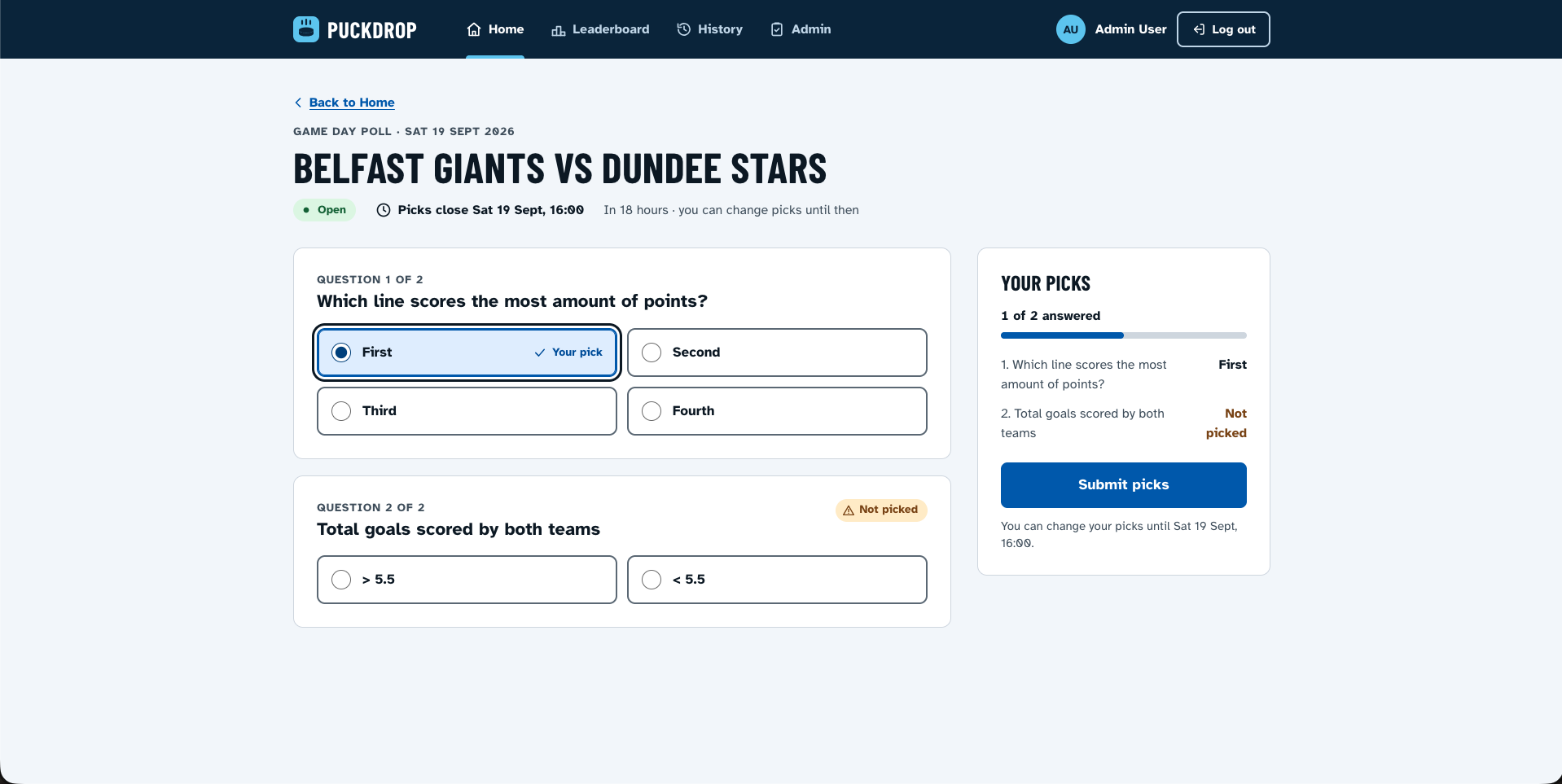
The one bit of the data model I’m properly pleased with is the leaderboard. DynamoDB only sorts ascending, so the sort key stores the points inverted (999999 - totalPoints, zero-padded). A plain query then comes back highest score first, with no sorting in code:
public static string LeaderboardSK(int totalPoints, string userId) =>
    $"SCORE#{(InvertedScoreMax - totalPoints):D6}#{userId}";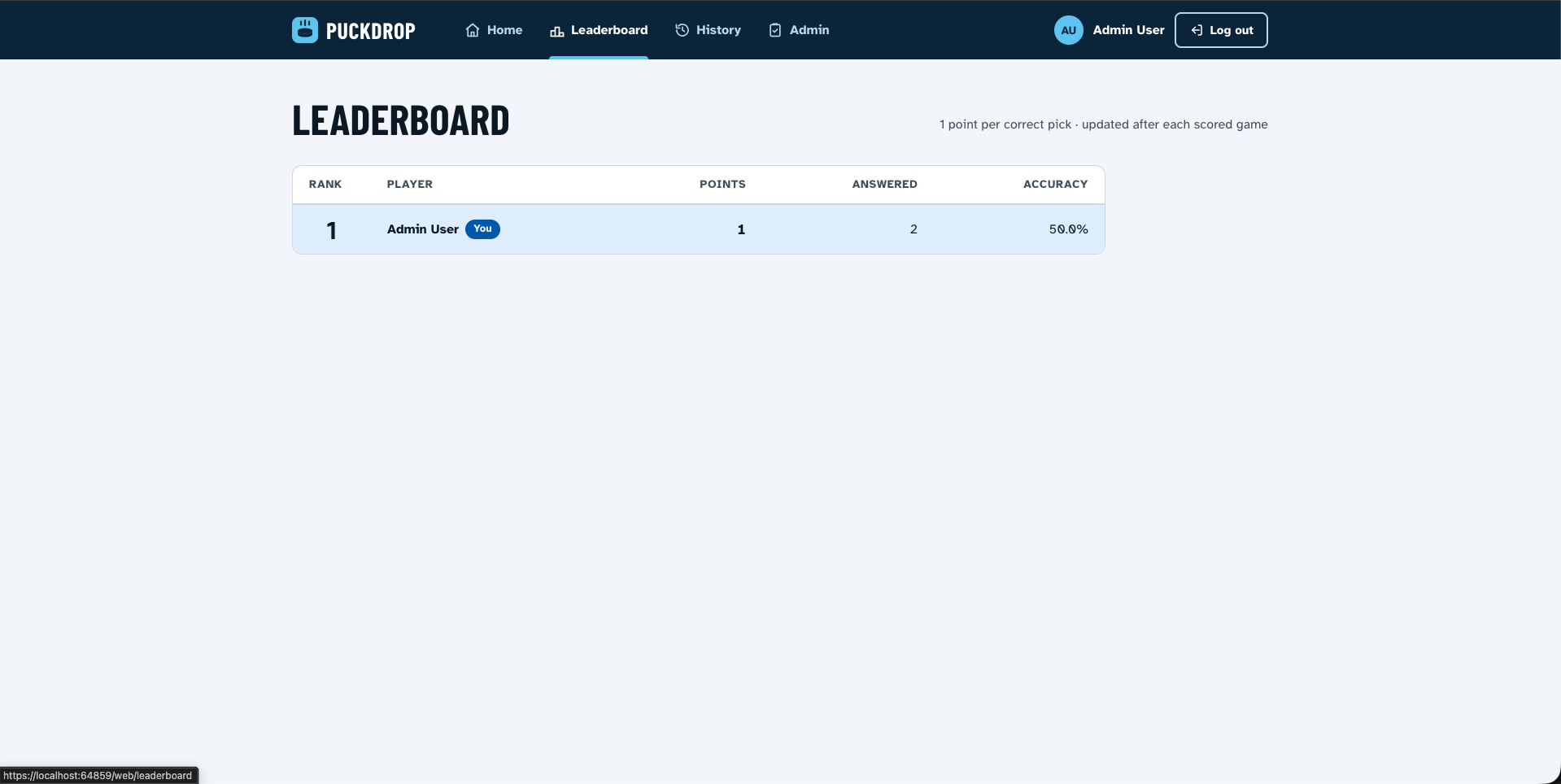
Auth took more work than I expected. Cognito and Keycloak mark admins differently, so the API and the UI both map each provider’s version to a single admin role. Then Cognito threw in a few surprises of its own. Its access tokens have no aud claim, so standard audience validation rejected every single token. Its logout endpoint ignores the standard OIDC parameters. And the first time I looked at the deployed leaderboard, everyone’s name was a UUID, because Cognito access tokens don’t include the user’s name. The API now asks Cognito’s userInfo endpoint instead. Nobody wants to lose a prediction league to 3f9a2c1e-....
Aspire locally: the part I already knew
The whole thing (DynamoDB, Keycloak, the Lambda, API Gateway and the Blazor app) starts with:
aspire startHere’s the core of the AppHost:
var dynamoDbLocal = builder.AddAWSDynamoDBLocal("dynamodb");

var keycloak = builder
    .AddKeycloak("keycloak", adminUsername: keycloakUsername, adminPassword: keycloakPassword)
    .WithRealmImport("./Keycloak/PuckDrop-realm.json")
    .ExcludeFromManifest();

var api = builder.AddAWSLambdaFunction<Projects.PuckDrop_Api>(
        "api", "PuckDrop.Api::PuckDrop.Api.LambdaEntryPoint::FunctionHandlerAsync")
    .WithReference(dynamoDbLocal)
    .WaitFor(keycloak);

var apiGateway = builder.AddAWSAPIGatewayEmulator("api-gateway", APIGatewayType.HttpV2)
    .WithReference(api, Method.Any, "/puckdrop/{proxy+}");

var web = builder.AddBlazorWasmProject<Projects.PuckDrop_Web>("web")
    .WithReference(apiGateway.GetEndpoint("http"));

builder.AddBlazorGateway("blazor-gateway").WithBlazorClientApp(web);
I’d used Aspire’s AWS integration for local development before, and it’s genuinely good at it. The Lambda runs in AWS’s Lambda emulator behind an API Gateway emulator, so requests arrive in the same shape they do in production. Keycloak starts with a realm already set up, including an admin user and a regular friend user. Everything shows up in the Aspire dashboard with logs and traces.
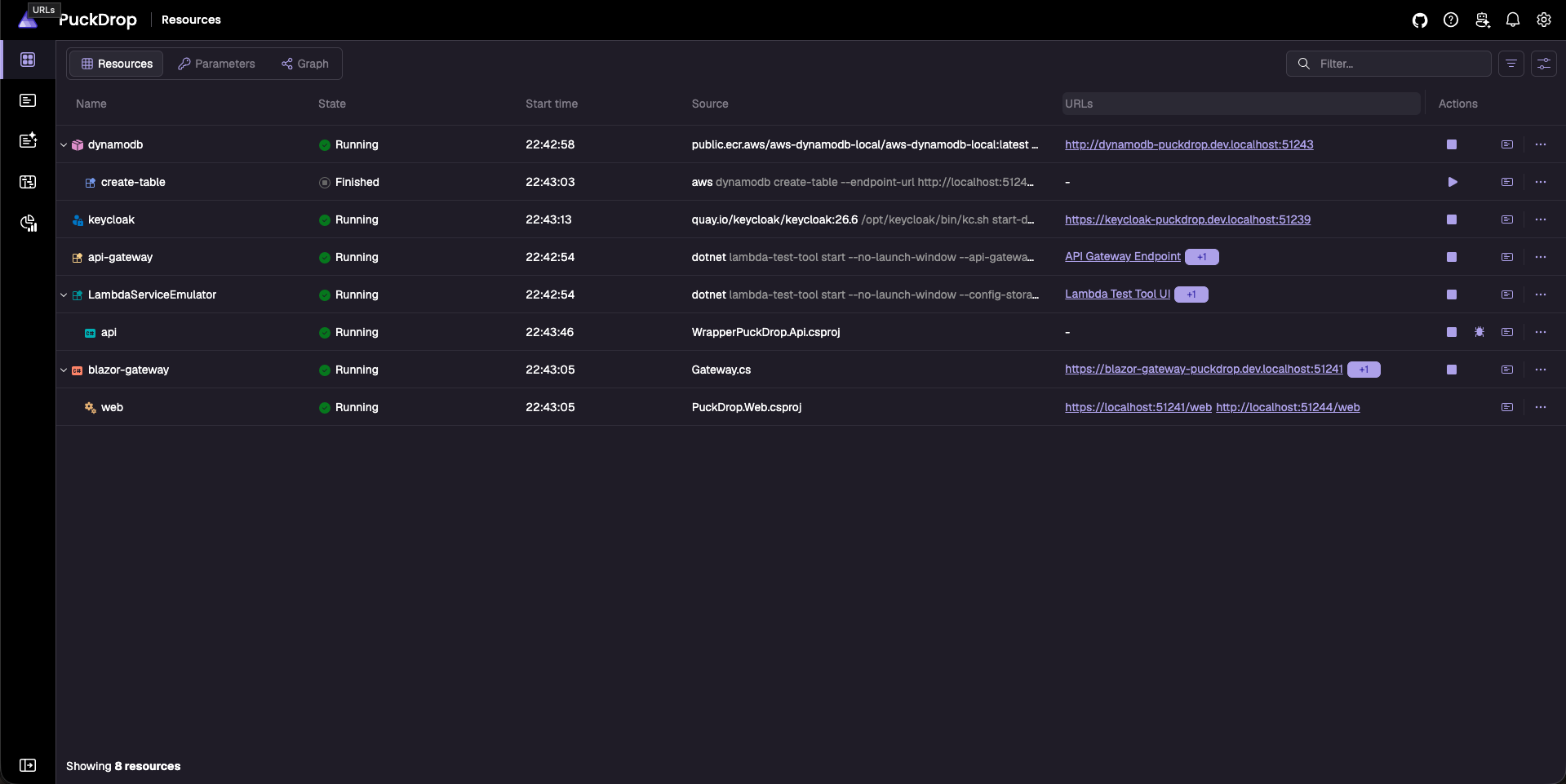
The only real fiddling was health checks. Neither DynamoDB Local nor the API Gateway emulator has one, so both would happily report “Running” before they could serve anything. I wrote my own. The API Gateway one calls a real endpoint, so a 200 means the whole path through to ASP.NET Core works. I also made them stop once they’ve passed, because the Lambda emulator handles one request at a time and doesn’t need a health check poking it every few seconds forever.
Aspire for deployment: the new bit
This was the part I was most curious about. I knew the AWS integration well for local work, but I’d never used its deployment side. The pitch is that the AppHost you use locally also describes what gets deployed. Run aspire deploy and it works out the rest.
With AWS, “the rest” is the AWS CDK. One call declares a CDK environment and the stack to deploy into:
builder.AddAWSCDKEnvironment(
    "puckdrop-cdk",
    CDKDefaultsProviderFactory.Preview_V1,
    stackFactory: (app, props) => new DeploymentStack(app, "PuckDrop", props));
DeploymentStack is a normal CDK stack that I write myself. It holds the things that aren’t Aspire resources: the DynamoDB table, the Cognito user pool and client, and the API Gateway with its JWT authorizer. The Aspire resources then publish into that stack. Local-only things like Keycloak are marked ExcludeFromManifest() and never leave my machine.
The Lambda is where it clicked for me. PublishAsLambdaFunction hands over the Lambda’s CDK construct, and I wire it to the rest of the stack:
.PublishAsLambdaFunction(new PublishLambdaFunctionConfig
{
    PropsFunctionCallback = (_, props) => props.MemorySize = 1024,
    ConstructFunctionCallback = (ctx, construct) =>
    {
        var stack = ctx.GetDeploymentStack<DeploymentStack>();
        construct
            .AddEnvironment("Cognito__UserPoolId", stack.UserPool.UserPoolId)
            .AddEnvironment("Cognito__ClientId", stack.UserPoolClient.UserPoolClientId);
        stack.PuckDropTable.GrantReadWriteData(construct);
        stack.AddLambdaRoute(construct);
    }
})
The user pool ID and table permissions come straight from the stack. No copying IDs out of the AWS console into config files, and no forgetting to update them.
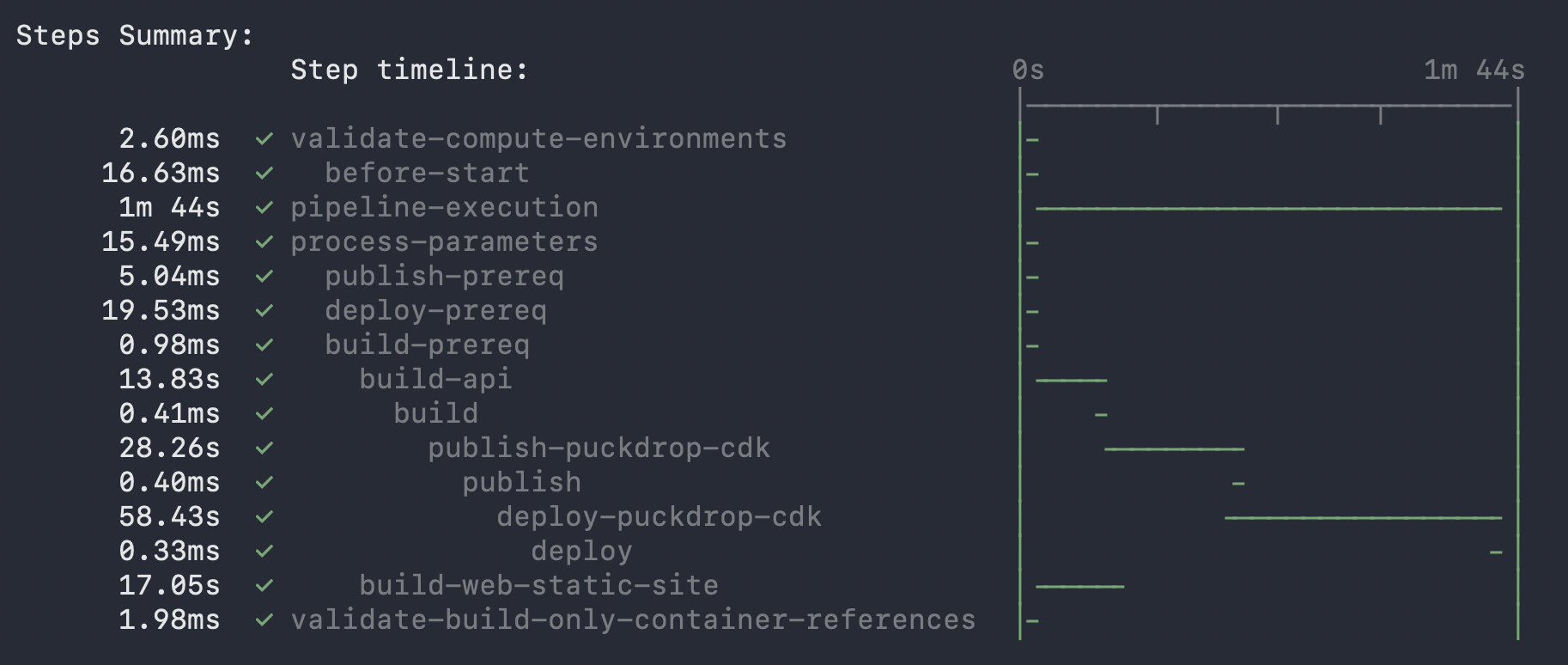
Under the hood, Aspire runs deployment as a pipeline of steps. Running aspire deploy --list-steps shows the Lambda being packaged, my Blazor build, the CDK synth and finally cdk deploy. You’ll need AWS credentials, the CDK CLI and a CDK-bootstrapped account before any of that works. aspire publish stops after the synth, which is handy for checking the CloudFormation template before you let it anywhere near your AWS account.
Getting the Blazor app to S3
The AWS integration knows how to deploy a Lambda, but not a Blazor WebAssembly app. AWS has an equivalent for JavaScript apps sitting in a pull request that hasn’t shipped yet, so I wrote my own version modelled on it. A publish target is a single class, registered the same way AWS registers theirs:
builder.Services.AddTransient<IAWSPublishTarget, BlazorStaticSitePublishTarget>();It builds a private S3 bucket and a CloudFront distribution in front of it. CloudFront also forwards /puckdrop/* to API Gateway, so the app calls its API on the same domain, with no CORS to worry about. There’s a small CloudFront Function for client-side routing, and the site is limited to Europe, since that’s where every user lives.
The dotnet publish for the Blazor app is its own step in the pipeline. It took one call:
builder.WithPipelineStepFactory(
    $"build-{resource.Name}-static-site",
    async context => annotation.PublishedWwwrootPath = await BlazorWasmPublisher.PublishAsync(
        resource.ProjectPath,
        Path.Combine(Path.GetTempPath(), "puckdrop-aspire", resource.Name),
        context.Logger,
        context.CancellationToken),
    dependsOn: [WellKnownPipelineSteps.BuildPrereq],
    requiredBy: [WellKnownPipelineSteps.Build],
    tags: [WellKnownPipelineTags.BuildCompute]);
It runs in parallel with the Lambda packaging, and the CDK step waits for both.
Getting there was less smooth. One deploy “succeeded” and created no website at all. AddBlazorWasmProject quietly excludes itself from publishing, because Aspire expects Blazor apps to be served by its own gateway container, so the CDK step skipped my app before it ever looked at my publish target. That gateway’s container build then failed on a project path it couldn’t find. And my first fix for that crashed the whole publish with a NullReferenceException. Several deploys, several different problems, all in the same few lines of the AppHost.
The 10-second API calls
Once it was live, the site worked, but it felt sluggish. Not broken, just the kind of slow where you click Leaderboard and wonder if you actually clicked it.
My first suspect was Lambda cold starts. The default 512 MB Lambda is short on CPU for booting ASP.NET Core, so I bumped it to 1024 MB. It helped a little, but not enough.
So I opened DevTools, saved a HAR file of a normal session and actually looked at the timings. Tiny API calls, returning a few hundred bytes of JSON, were taking anywhere from 1 to 10 seconds. Not only the first request after a cold start. Almost every request.
The cause turned out to be telemetry. Locally, the API sends OpenTelemetry data to the Aspire dashboard. In AWS, there’s no dashboard, but the exporter was still switched on and trying to send to a collector at localhost that didn’t exist. That would normally just fail quietly in the background. On Lambda it doesn’t, because the Lambda OpenTelemetry wrapper forces a flush before returning each response, so nothing is lost when the function freezes. Aspire also turns on a retry mode for the exporter. So every single response waited while the exporter tried, and retried, to reach a collector that wasn’t there.
The fix was one if: only turn on the exporter when an OTLP endpoint is actually configured. That did the trick.
Testing the whole thing with Aspire.Hosting.Testing
There are around 200 normal unit and component tests. They’re quick and they catch plenty, but they can’t tell you that the login redirect actually lands, or that a poll created by the admin shows up for a friend.
For that I spent a weekend at the end of August building an end-to-end suite with Aspire.Hosting.Testing and Playwright. It was the most satisfying weekend of the project and also the most frustrating.
The idea is lovely. Aspire.Hosting.Testing boots the real AppHost inside a test: DynamoDB Local, Keycloak, the Lambda emulator, API Gateway and the Blazor app. Then Playwright drives a real headless browser against it. Nothing is mocked.
var appHost = await DistributedApplicationTestingBuilder.CreateAsync<Projects.PuckDrop_AppHost>();
var app = await appHost.BuildAsync();
await app.StartAsync();

await app.ResourceNotifications.WaitForResourceHealthyAsync("api-gateway", cts.Token);

BlazorBaseUri = new Uri(app.GetEndpoint("blazor-gateway", "http"), "web/");
This is where those custom health checks earned their keep. Waiting for api-gateway to be healthy means a real request has already made it through to the API, so the first test doesn’t start against a half-booted backend.
The first run didn’t get that far. The test host doesn’t start the Aspire dashboard, and two of my AppHost calls needed it, so resources failed to start. Easy fix: only add those when the dashboard is there.
Next, the app couldn’t find its API. Under aspire start, the API Gateway emulator gets a friendly, fixed .dev.localhost address, and the Blazor app falls back to it locally. The test host uses random ports instead, so that address doesn’t exist. Rather than change the app for the tests, I got Playwright to reroute those requests to wherever the API actually was:
await context.RouteAsync($"{HardcodedApiGatewayFallback}/**", async route =>
{
    var original = new Uri(route.Request.Url);
    var redirected = new Uri(_apiGatewayEndpoint, original.PathAndQuery);
    await route.ContinueAsync(new RouteContinueOptions { Url = redirected.ToString() });
});
Then came the flakiness. The Lambda emulator processes one request at a time. With the whole suite leaning on it, some requests queued long enough to hit the app’s 10-second timeout on its startup call. The app then correctly showed its “Couldn’t reach the server” page, and the test failed. The app was doing exactly what I’d told it to, just at a very inconvenient moment. I didn’t want to weaken that timeout for real users, so the tests watch for that page and reload. I first gave the page 12 seconds to appear, which wasn’t enough, because the clock started before the WebAssembly runtime had even booted. 25 seconds was.
Logging in through Keycloak for every test was painfully slow, so each user logs in once and the tests reuse the saved session. That worked until one test started failing now and then. The access token had expired while the suite was still running, and without Keycloak’s session cookie the app couldn’t renew it quietly. Saving the cookies along with the rest of the session sorted it.
After all that, the main test runs a full game day. The admin creates a poll, a friend votes in a separate browser, the admin closes and scores it, and the test checks the results and the leaderboard. Then it runs a second poll to check the points add up across the season. Other tests cover login, admin-only pages, logout and staying logged in. There’s still the odd flaky run under load, so a failed test gets one retry in a fresh process.
Was it worth a weekend? Yes. Building it flushed out two startup bugs I’d never have spotted by clicking around, and it caught a change that broke every API call under the local /web/ path.
What I’d do differently
Deploy earlier. I had the CDK stack in place by early July, but I didn’t run a real aspire deploy until September. Almost every surprise in this post came from that first week of real deploys: the missing website, the container build, the UUIDs on the leaderboard, the 10-second API calls. Any one of them would have been easy to deal with on its own in July. Finding them all in the same week felt more like a five-minute major.
What’s next
Load testing against the deployed site, security tests that go straight at the API, and a bit of AI. The plan is post-game recaps and end-of-season awards, plus suggested correct answers from the EIHL’s official gamesheets so the admin has less to do.
Final thoughts
Before this, I’d only used Aspire for local development, and it’s still great at that. Now the same AppHost also runs my end-to-end tests and deploys the whole thing to AWS.
Deploying with it was a learning curve. The AWS publishing and pipeline APIs are still experimental, the Blazor pieces needed care in publish mode, and I had to write my own publish target for the frontend. On top of that, I was getting back up to speed with the CDK, having mostly written CloudFormation templates directly lately.
What stood out is how easy it was to extend when the built-in pieces didn’t cover something. My own deploy step was one WithPipelineStepFactory call, and it slotted in next to the built-in steps and ran in parallel with them. The AWS integration was just as open. A custom publish target is one class, registered the same way AWS’s own targets are. Callbacks like ConstructFunctionCallback and PropsDistributionCallback hand over the real CDK constructs to tweak. When I needed a setting the higher-level CDK classes don’t expose, such as refresh token rotation, the CDK’s escape hatch to the raw CloudFormation resource covered it. I never felt like I was fighting the tooling to get AWS to do what I needed.
I’ll be using it for deployment again. And the admin gets to retire the spreadsheet.